Affiliate Disclosure: This post may contain affiliate links, which means I may earn a small commission if you shop through them at no extra cost to you.
Trying to choose between a Cricut Maker and a Cricut Explore Air 2 can feel weirdly overwhelming once you start watching comparison videos online. One person says the Maker is absolutely necessary. Another says the Explore Air does everything beginners need. Then suddenly you’re deep into videos about blades, mats, and machines that cost way more than you planned to spend. If you’re trying to figure out which Cricut machine actually fits your crafting style, budget, and goals, this breakdown will make the decision much easier. Whether you’re interested in simple Cricut crafts, Cricut projects beginner creators love, or eventually making Cricut projects to sell, here’s what actually matters before you buy.
What the Cricut Maker and Explore Air Actually Do
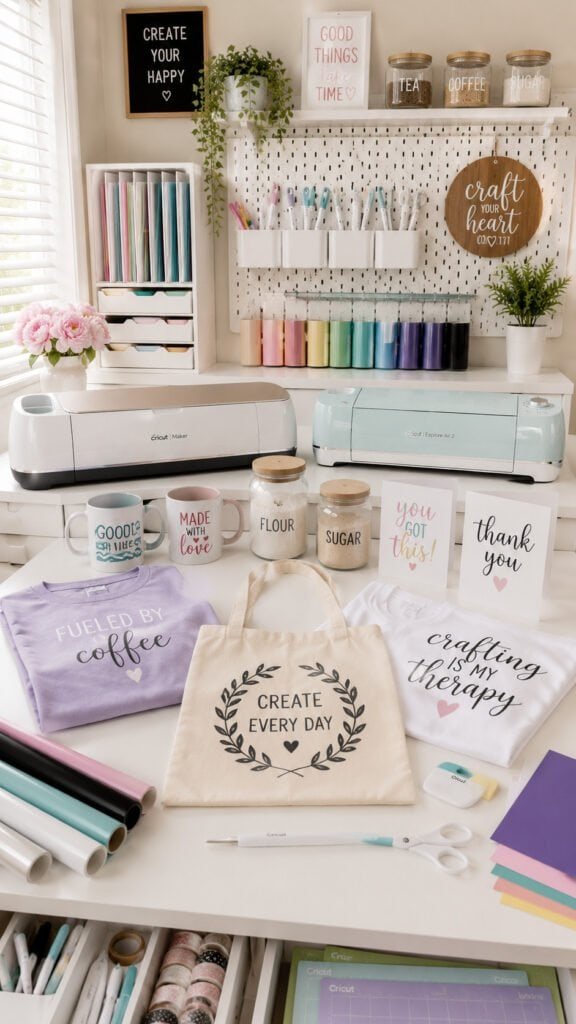
Both the Cricut Maker and Explore Air are electronic cutting machines designed to help you create clean, professional-looking DIY projects without cutting everything by hand. They connect to Cricut Design Space, which lets you upload, customize, and cut designs for everything from labels to shirts to home decor. For beginners, the overall experience feels very similar between the two machines at first. You design something on your computer or tablet, load your material onto a cutting mat, and let the machine handle the precision work.
That’s why so many beginners get confused comparing them. On the surface, they both seem capable of making the same Cricut ideas and everyday projects. And honestly, for basic crafting, they are. Both machines can create polished DIY projects that look expensive and professional once you learn the basics.
If your main goal is creating fun Cricut projects at home, either machine can handle a huge variety of beginner-friendly crafts like:
- Vinyl decals
- Pantry labels
- Custom mugs
- Iron-on shirts
- Greeting cards
- Wall quotes
- Seasonal decor
- Personalized Cricut gift ideas
The biggest difference starts showing up once you move beyond simple vinyl and cardstock projects. That’s where cutting strength and material compatibility become important, which is why your crafting goals matter more than hype online.
Shop the Look
The Biggest Difference Is the Materials They Can Cut
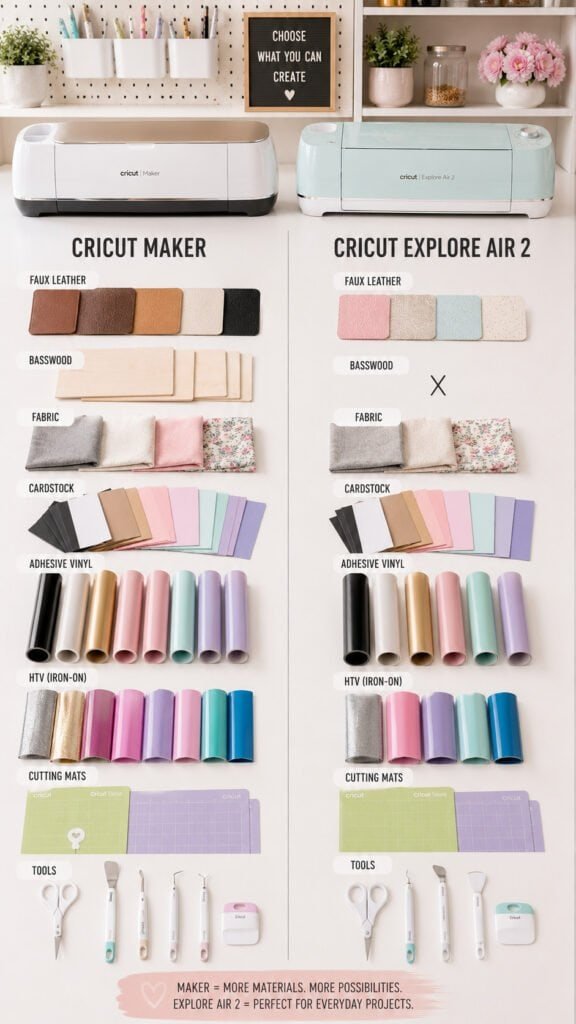
At first glance, both Cricut machines seem almost identical because they can both handle popular beginner Cricut crafts like vinyl decals, labels, cards, and iron-on projects. But once you start exploring more advanced Cricut projects, the real difference becomes obvious. The deciding factor is cutting power and material versatility.
This is where a lot of beginners accidentally overspend or underspend. Some people buy the more expensive machine because TikTok convinced them they “might” use wood or leather one day. Others buy the cheaper option, then quickly realize they want to experiment with sewing, thicker materials, or layered home decor projects. Your machine should match the types of Cricut ideas you realistically plan to make.
Cricut Maker Capabilities vs Explore Air Capabilities
| Feature | Cricut Maker | Cricut Explore Air 2 |
|---|---|---|
| Vinyl Projects | Yes | Yes |
| Cardstock Projects | Yes | Yes |
| Iron-On / HTV | Yes | Yes |
| Fabric Cutting | Yes | Limited |
| Leather Projects | Yes | Limited |
| Thin Wood | Yes | No |
| Chipboard | Yes | No |
| Sewing Projects | Excellent | Basic |
| Cricut Projects Beginner Friendly | Yes | Yes |
| Advanced Material Support | Strong | Moderate |
| Best For | Multi-craft creators | Everyday Cricut crafts |
The Cricut Maker 3 expands even further with faster speeds and Smart Material compatibility, but for many beginners, the core decision still comes down to whether you need advanced material cutting or not. If your main focus is everyday Cricut projects beginner creators typically make, the Explore Air can still do a surprisingly impressive amount.
Shop the Look
Which Machine Is Better for Beginners?
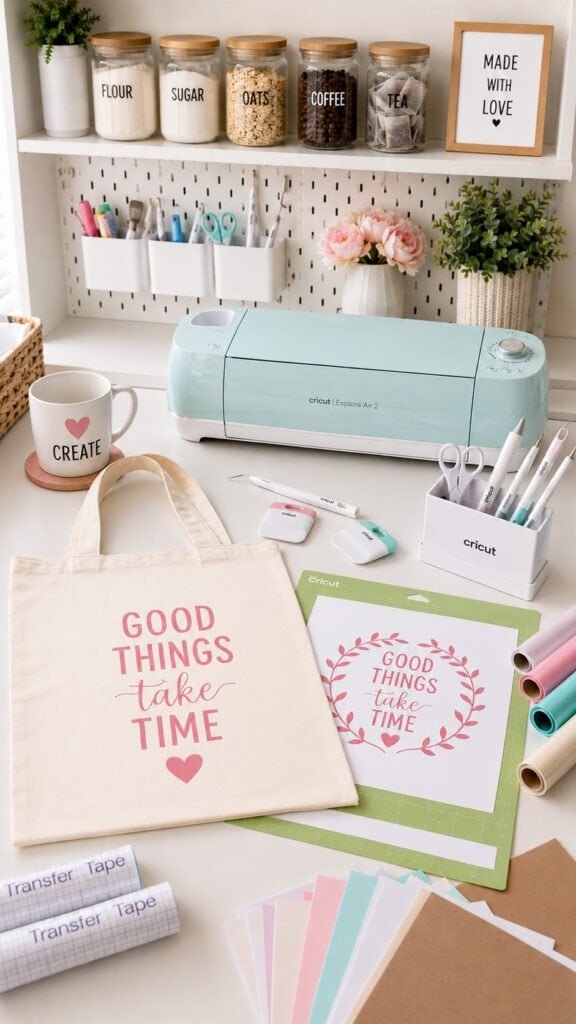
Most beginners do not need the most expensive Cricut machine right away. The majority of new users start with simple Cricut projects like labels, shirts, mugs, decals, and small home decor. That is why the Cricut Explore Air 2 works well for so many people. It is easier on the budget, beginner-friendly, and handles most everyday Cricut crafts without a problem.
If your goal is casual crafting, holiday decor, personalized gifts, or trendy Cricut ideas for your home, the Explore Air is usually enough. It is especially great for vinyl and cardstock projects, which are still some of the most popular Cricut projects beginner creators make.
The Cricut Maker makes more sense if you already know you want to work with fabric, leather, wood, or more advanced materials. It is also the better fit for people planning to create Cricut projects to sell or turn crafting into a serious hobby long term.
The biggest mistake beginners make is buying based on hype instead of how they actually plan to craft. Simple projects do not require the most advanced machine.
Shop the Look
Cricut Maker vs Explore Air for Cricut Projects to Sell

If you want to make Cricut projects to sell, both machines can absolutely help you start a small craft business. A lot of successful sellers use Cricut machines for custom shirts, stickers, tumblers, labels, party decor, and personalized Cricut gift ideas.
The Cricut Explore Air 2 is usually enough if your business focuses mostly on vinyl projects. It works well for decals, mugs, tote bags, basic apparel, and beginner-friendly Cricut crafts without requiring a huge upfront investment.
The Cricut Maker becomes more valuable when you want to offer a wider range of products. Fabric projects, leather earrings, layered signs, and thicker materials give you more ways to stand out if you plan to scale your shop later.
A lot of beginners think they need the biggest setup immediately, but most successful Cricut sellers start small. It makes more sense to learn your niche first before spending heavily on advanced tools and supplies.
Shop the Look
5. Cricut Maker 3 vs Explore Air: Is the Upgrade Worth It?

The Cricut Maker 3 gets a lot of attention because it cuts faster and works with Smart Materials, which let you cut certain materials without a mat. If you craft often or make larger batches of projects, those upgrades can save time and make the workflow smoother.
But for many beginners, the actual crafting experience still feels very similar to the Explore Air. Both machines use Cricut Design Space, both create popular Cricut crafts, and both can handle most everyday DIY projects people start with.
The Maker 3 really becomes worth it for people who craft constantly, sell products regularly, or want maximum flexibility long term. If you only plan to make occasional Cricut gift projects, labels, decals, and shirts, you may not notice enough difference to justify the higher price right away.
A lot of beginners assume newer automatically means better for everyone, but the smartest purchase depends on how often you realistically plan to use your Cricut machine.
Shop the Look
6. Cricut Projects Beginner Crafters Usually Start With

Most beginners start with simple Cricut projects that give fast results without wasting expensive materials. That is why vinyl projects stay so popular. They are easy to learn, beginner-friendly, and still look polished once finished.
Some of the most common Cricut ideas beginners try first include pantry labels, tote bags, mugs, wall decals, and personalized gifts. These projects help you learn weeding, transfer tape, layering, and material settings without feeling overwhelming.
Simple projects are also great for building confidence before moving into more advanced Cricut crafts. A lot of people discover they enjoy quick, easy projects more than complicated multi-material designs. Others realize they want to level up into layered signs, fabric projects, or even Cricut projects to sell.
Right now, personalized organization and custom gift items are some of the biggest Cricut trends online. Clean labels, minimalist storage bins, and customized gifts continue to perform well because they feel useful and aesthetic at the same time.
Shop the Look
7. Features Most People Think Matter But Usually Don’t

Social media makes it seem like every Cricut accessory is a must-have, especially when you first start researching Cricut machines. Suddenly it feels like you need specialty blades, giant tool kits, expensive storage carts, and every material bundle online before making your first project.
In reality, most beginners stick to basic Cricut projects for a long time. Vinyl decals, shirts, labels, cards, and simple Cricut gift ideas only require a small group of core supplies. A basic tool set, cutting mat, transfer tape, and vinyl will take you surprisingly far.
Features like deep-cut tools, specialty attachments, and advanced materials sound exciting, but many casual crafters rarely use them consistently. That is why buying based on your real crafting habits matters more than buying based on what looks impressive online.
The most important things to focus on first are your budget, available space, project goals, and how often you realistically plan to craft.
Shop the Look
8. Who Should Buy the Explore Air vs the Cricut Maker?

The Cricut Explore Air 2 is the better choice for most casual crafters, especially if you mainly want to make vinyl decals, labels, shirts, cards, and beginner-friendly Cricut crafts. It is more budget-friendly, easier for beginners to justify, and still handles a huge variety of everyday Cricut projects.
If you enjoy simple Cricut joy projects, seasonal decor, personalized gifts, and home organization projects, the Explore Air will probably cover most of what you want to create. It is especially good for hobby crafters who want fun DIY projects without investing heavily upfront.
The Cricut Maker makes more sense for people who want maximum flexibility long term. If you plan to work with fabric, leather, wood, or more advanced materials, the extra cutting power matters. It is also the stronger option for people planning to create Cricut projects to sell or expand into multiple crafting styles over time.
The Cricut Joy fits into a different category entirely. It is designed for quick, small Cricut ideas like labels, cards, and mini projects. It works well for tiny spaces and lightweight crafting, but it is not meant to replace a full-size Cricut machine.
Shop the Look
Both the Cricut Maker and Cricut Explore Air 2 can create amazing Cricut crafts, personalized gifts, and beginner-friendly projects. The right choice depends on how you actually plan to craft. If you mainly want labels, shirts, decals, and simple Cricut ideas, the Explore Air is usually enough. If you want to work with fabric, leather, wood, or create Cricut projects to sell, the Maker gives you more flexibility long term.
If you’re thinking about turning your Cricut hobby into extra income, check out my related post: 12 Cricut Business Mistakes Beginners Make.