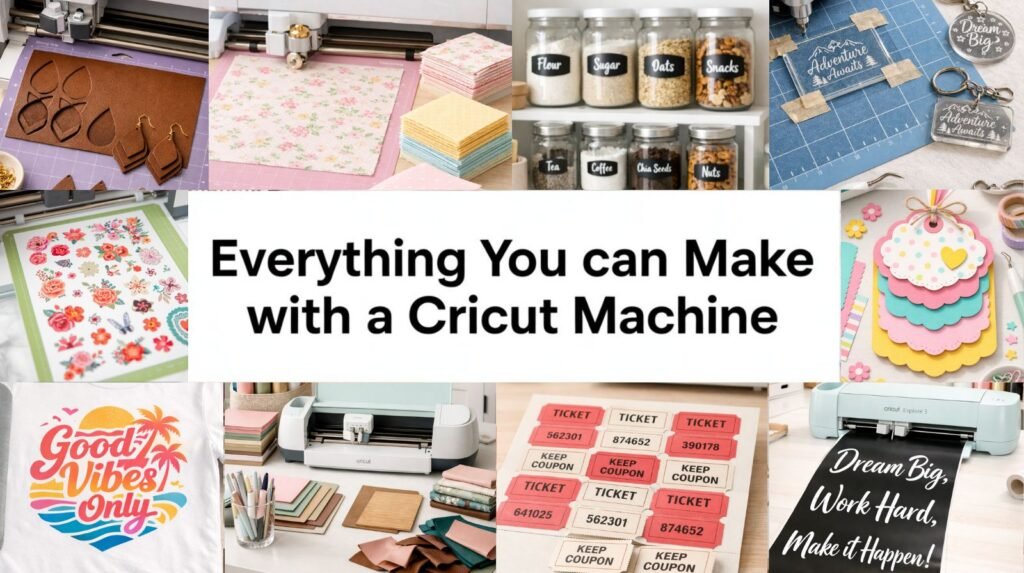
Most people think a Cricut machine is just for cutting vinyl. That’s the beginner version of the story. The truth is, this machine can cut wood, engrave acrylic, deboss luxury invitations, foil metallic details, write in calligraphy, and even create sellable products from home. If you’ve ever wondered what a Cricut machine can actually do beyond basic DIY Cricut projects, this is your complete breakdown.
We’re going function by function so you can see exactly what’s possible and which machine is best for what you want to make.
1. Precision Cutting: The Core Cricut Machine Function
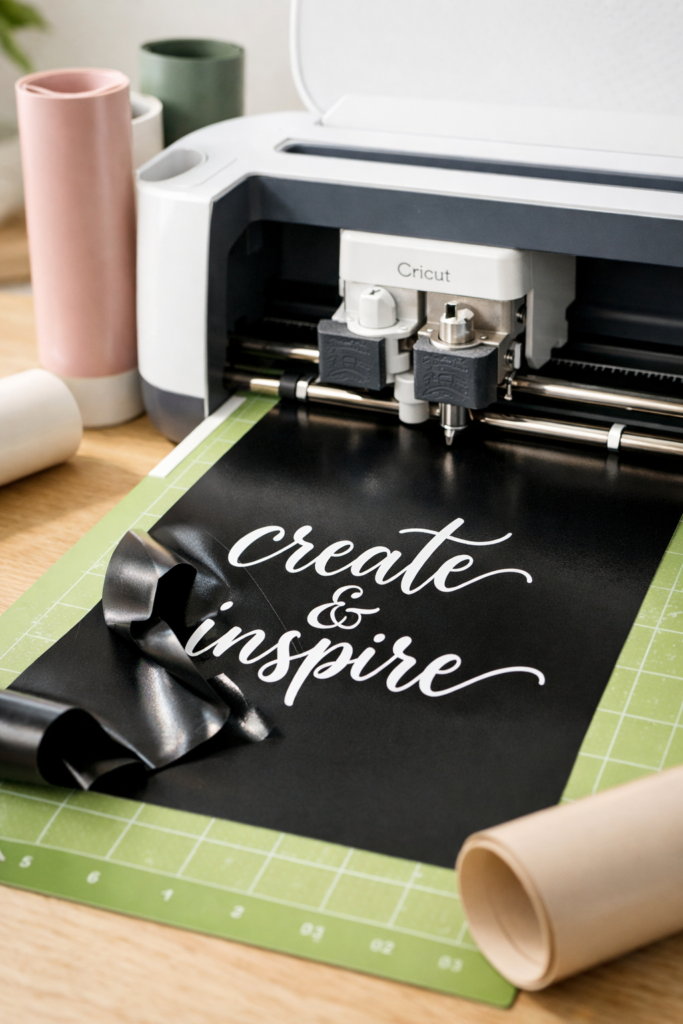
This is where every Cricut journey starts. Precision cutting is the foundation of nearly all Cricut projects, and it’s what makes even easy Cricut projects for beginners look polished and professional.
A Cricut machine uses a fine-point blade to cut clean lines through materials like vinyl, cardstock, iron-on, sticker paper, and faux leather. The cuts are sharp, consistent, and detailed enough for intricate script fonts and delicate floral designs. You can go from simple name labels to layered wall decals without switching tools.
What You Can Make
- DIY Cricut projects like wall decals and home decor signs
- Custom t-shirts and sweatshirts
- Pantry and closet labels
- Stickers and planner inserts
- Seasonal Cricut Christmas projects
This function alone opens the door to hundreds of easy Cricut ideas, especially if you’re just getting started.
Best Cricut Machine for Precision Cutting
For most users, the Cricut Explore 3 is the sweet spot. It’s fast, powerful, and perfect for vinyl, cardstock, and iron-on. If your main focus is DIY Cricut projects, beginner-friendly designs, or Cricut projects to sell like decals and shirts, this machine handles it beautifully without overcomplicating things.
Shop the Look
2. Print Then Cut: Full-Color Cricut Projects
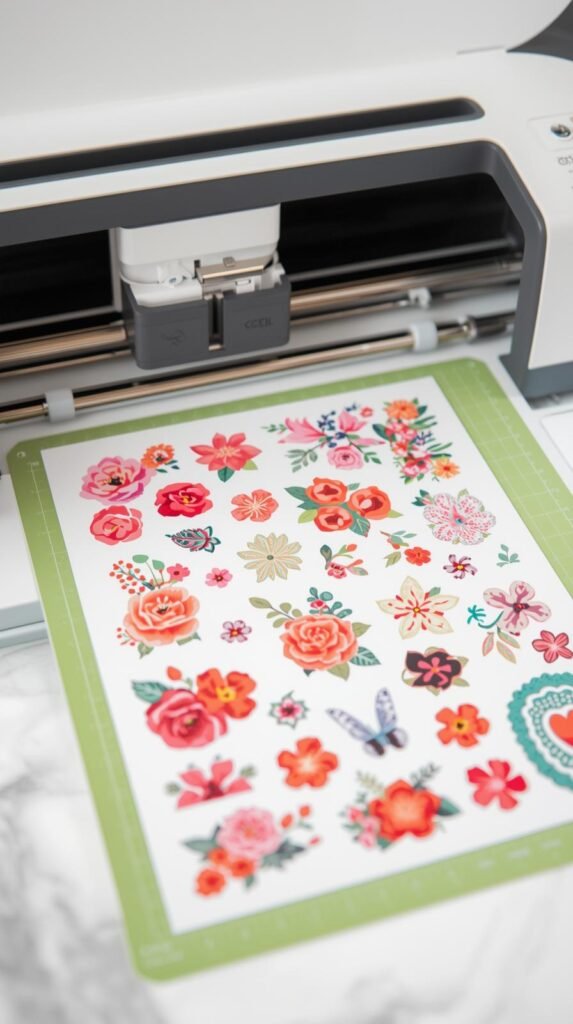
If you’ve ever seen detailed stickers or colorful labels and wondered how they were made, this is the function behind it. Print Then Cut is where your Cricut machine goes from simple cutting tool to small business powerhouse.
Here’s how it works: you print your design on a regular home printer, then your Cricut machine scans the registration marks and cuts perfectly around the printed image. The result is crisp, clean, professional edges around full-color graphics. No hand-cutting. No uneven borders.
This is one of the most popular features for DIY Cricut projects and especially for anyone interested in Cricut projects to sell.
What You Can Make
- Planner stickers and journal kits
- Kids name labels for school
- Party favor tags and cupcake toppers
- Cricut Christmas projects like gift tags
- Custom product labels for small businesses
If you love cute, detailed designs and want to explore more easy Cricut ideas that look store-bought, this function is essential.
Best Cricut Machine for Print Then Cut
Both the Cricut Explore 3 and the Cricut Maker 3 support Print Then Cut. If you’re mostly working with stickers, labels, and lightweight materials, the Explore 3 is more than capable. If you plan to combine Print Then Cut with engraving, fabric cutting, or thick materials later, the Maker 3 gives you more room to grow.
Shop the Look
3. Drawing & Writing: Built-In Pen Tool
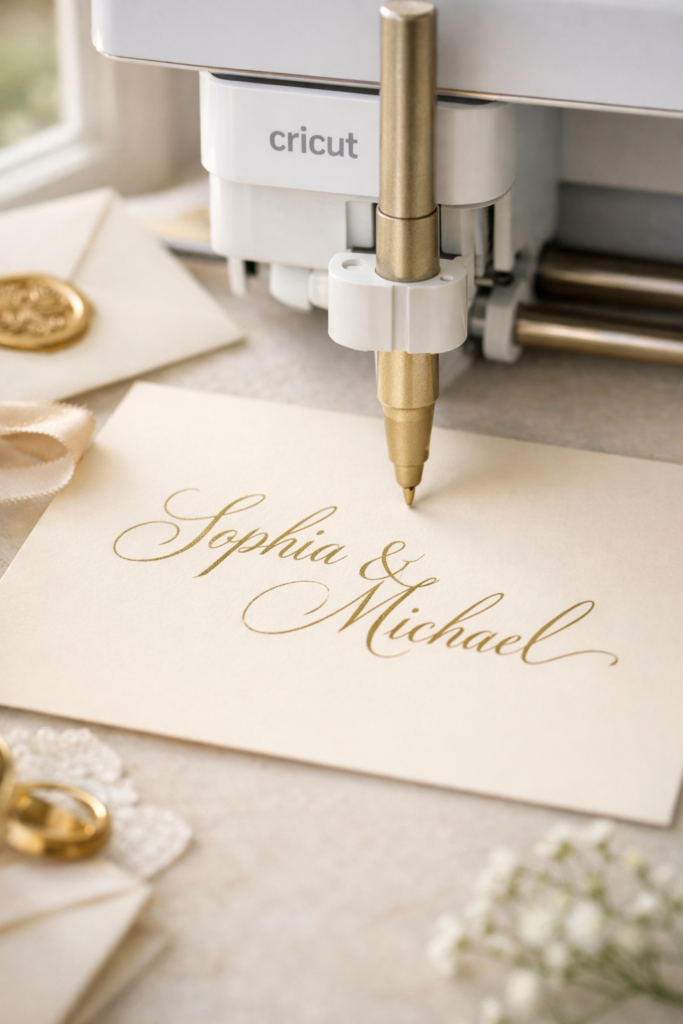
This is where your Cricut machine starts to feel almost magical. Instead of cutting, it can draw, sketch, and write with precision that looks hand-lettered but perfectly clean.
Using Cricut pens or markers, the machine follows your design and writes it directly onto cardstock, paper, or printable materials. You can create delicate calligraphy, clean block fonts, doodle-style art, or detailed line illustrations. If you’ve ever wanted envelope addressing that looks professionally done or custom greeting cards without handwriting fatigue, this is your function.
For anyone exploring easy Cricut projects for beginners, this is one of the most satisfying features to try first.
What You Can Make
- Wedding invitations and envelope addressing
- Custom greeting cards
- Planner inserts and journaling pages
- Gift tags for Cricut Christmas projects
- Personalized thank-you notes for small businesses
This feature pairs beautifully with cutting and scoring, making layered paper projects look elevated and intentional.
Best Cricut Machine for Drawing & Writing
The Cricut Explore 3 handles drawing and writing effortlessly. It’s ideal if your focus is paper crafts, cards, and lightweight DIY Cricut projects. The Cricut Maker 3 also supports this function, so if you already own one or plan to expand into advanced tools later, you’re covered.
Shop the Look
4. Scoring: Perfect Fold Lines for 3D Paper Projects
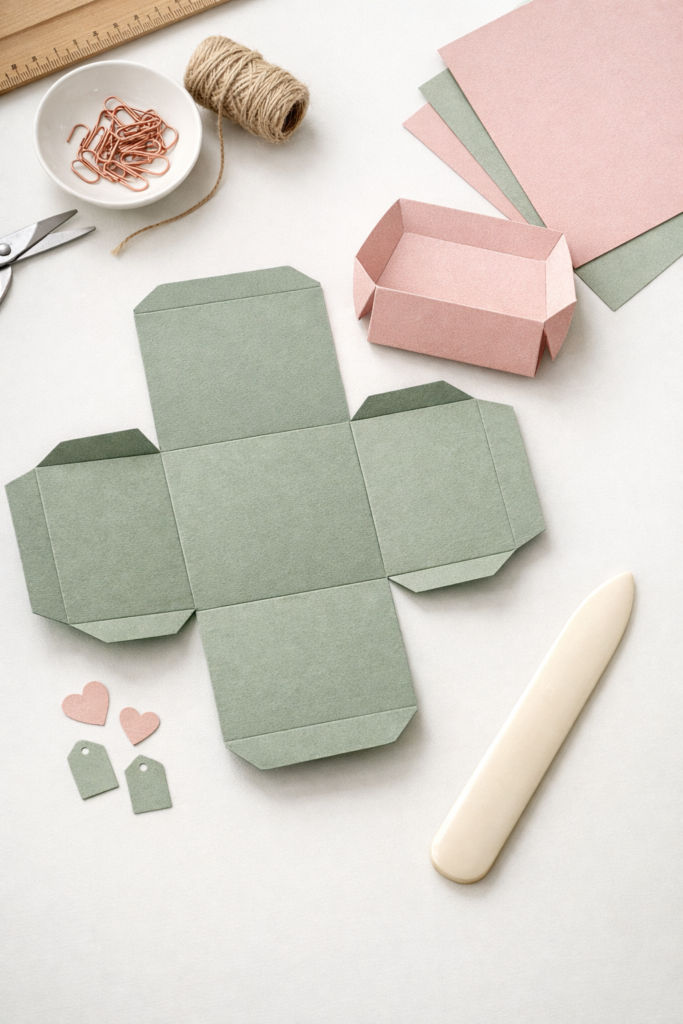
If you’ve ever tried folding thick cardstock by hand and ended up with cracked edges or uneven lines, you’ll appreciate this feature immediately. Scoring is what transforms flat paper into structured, dimensional projects.
Your Cricut machine creates clean, precise indentations where folds should happen. Instead of guessing or using a ruler, the machine marks exact fold lines so boxes, envelopes, and 3D designs assemble smoothly. The result looks polished, sharp, and intentional.
This is where easy Cricut projects for beginners start to feel advanced without actually being complicated.
What You Can Make
- Gift boxes and favor boxes
- Pop-up greeting cards
- 3D paper decor
- Party invitations
- Cricut Christmas projects like advent calendars
Scoring pairs beautifully with cutting and writing, which means your DIY Cricut projects can be layered, folded, and structured in one seamless process.
Best Cricut Machine for Scoring
While the Cricut Explore 3 can score using a scoring stylus, the most precise option is the Cricut Maker 3 with the Scoring Wheel. If you plan to make a lot of structured paper crafts or sell dimensional paper goods, the Maker 3 gives you cleaner, more consistent folds on thicker materials.
Shop the Look
5. Debossing: Pressed Luxury Texture
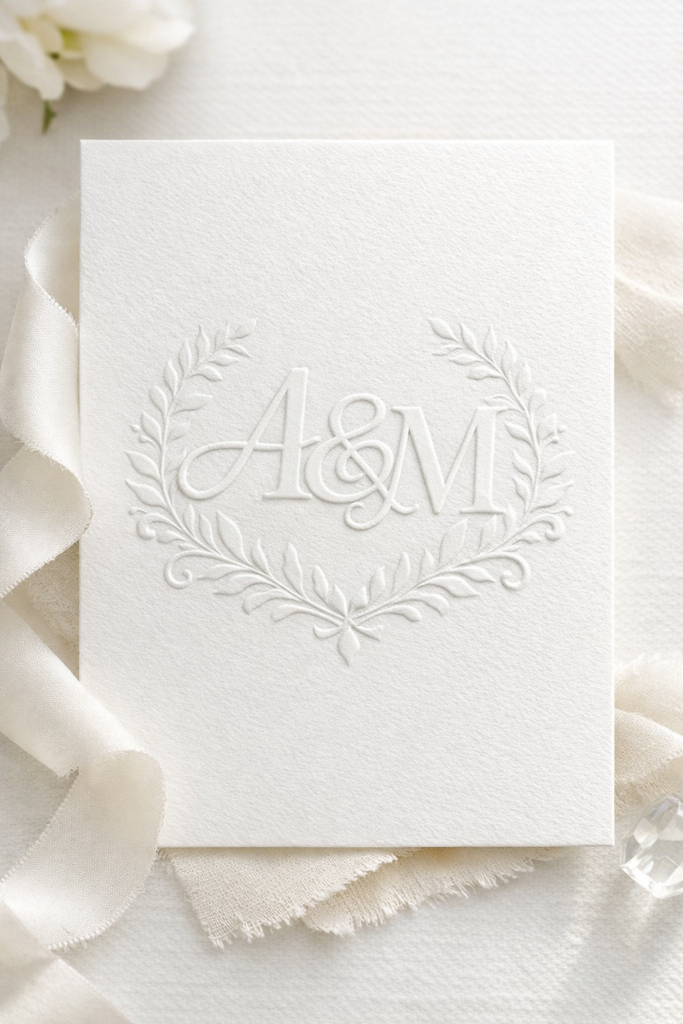
If you love that subtle, high-end stationery look where the design feels pressed into the paper, this is the feature behind it. Debossing is where your Cricut machine starts creating texture, not just shapes.
Instead of cutting through material, the debossing tip presses your design into cardstock or specialty paper. The result is a clean, indented pattern that catches light beautifully. It feels refined, elevated, and intentional. Think luxury wedding invitations, boutique packaging, or embossed monograms that look professionally produced.
For anyone wanting more sophisticated Cricut ideas, this is a major upgrade from basic vinyl projects.
What You Can Make
- Wedding invitations with pressed monograms
- Luxury greeting cards
- Textured stationery sets
- Elegant product packaging inserts
- Elevated DIY Cricut projects for home decor
This function pairs beautifully with foil transfer or scoring if you want layered, dimensional results.
Best Cricut Machine for Debossing
Debossing requires the adaptive tool system, which means the Cricut Maker 3 is the best choice. The Explore series does not support the debossing tip, so if this feature is important to you, the Maker 3 is the clear option.
Shop the Look
6. Engraving: Permanent Surface Detailing
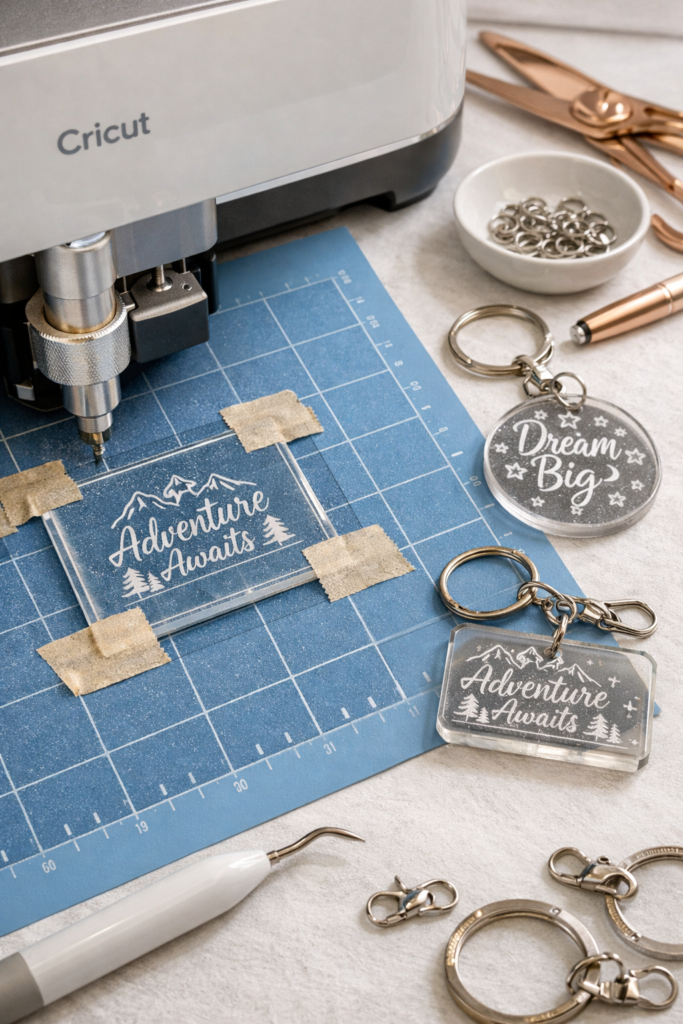
This is where your Cricut machine moves beyond paper and vinyl and into serious customization territory. Engraving allows you to etch designs directly into materials like acrylic, aluminum, and certain metals.
Instead of cutting through the surface, the engraving tip carves into it, creating a permanent, professional-looking finish. The lines are crisp and clean, and the result feels like something you ordered from a specialty shop. If you’re exploring Cricut projects to sell, this is one of the most profitable directions you can go.
Engraving instantly elevates your DIY Cricut projects from craft-level to boutique-level.
What You Can Make
- Acrylic wedding table numbers
- Custom engraved keychains
- Metal pet tags
- Personalized jewelry
- Branded business signage
This is one of those Cricut ideas that surprises people because it feels advanced, but the machine handles the precision work for you.
Best Cricut Machine for Engraving
Engraving requires the adaptive tool system, so the Cricut Maker 3 is the machine you need. The Explore series does not support the engraving tip. If engraving is on your vision board, Maker 3 is the clear choice.
Shop the Look
7. Foil Transfer: Metallic Shine That Pops
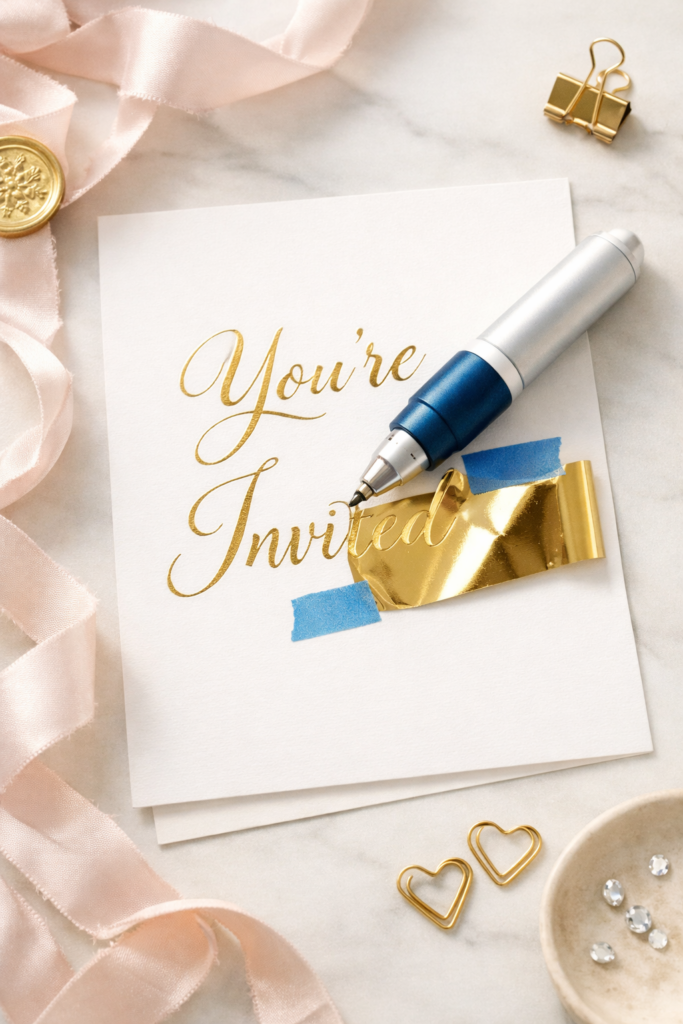
If you’ve ever seen shimmering gold or silver accents on invitations and assumed they were professionally printed, this is how it’s done. Foil transfer lets your Cricut machine apply metallic foil directly onto paper with crisp, clean lines.
Instead of cutting or engraving, the machine presses foil into the surface using controlled pressure. The result is sleek, reflective detailing that instantly upgrades simple cardstock into something that feels luxe. It’s bold without being flashy and perfect for statement pieces.
This function is a favorite for elevated DIY Cricut projects that need that extra visual impact.
What You Can Make
- Foiled wedding invitations
- Holiday cards and Cricut Christmas projects
- Custom business cards
- Event menus
- Thank-you cards with metallic lettering
Foil is especially powerful if you’re exploring Cricut projects to sell, because metallic accents increase perceived value fast.
Best Cricut Machine for Foil Transfer
Both the Cricut Explore 3 and the Cricut Maker 3 support the Foil Transfer Kit. If foil is your primary focus and you’re staying in paper crafts, Explore 3 works beautifully. If you want access to engraving and debossing too, Maker 3 gives you full flexibility.
Shop the Look
8. Fabric Cutting: Sewing Simplified
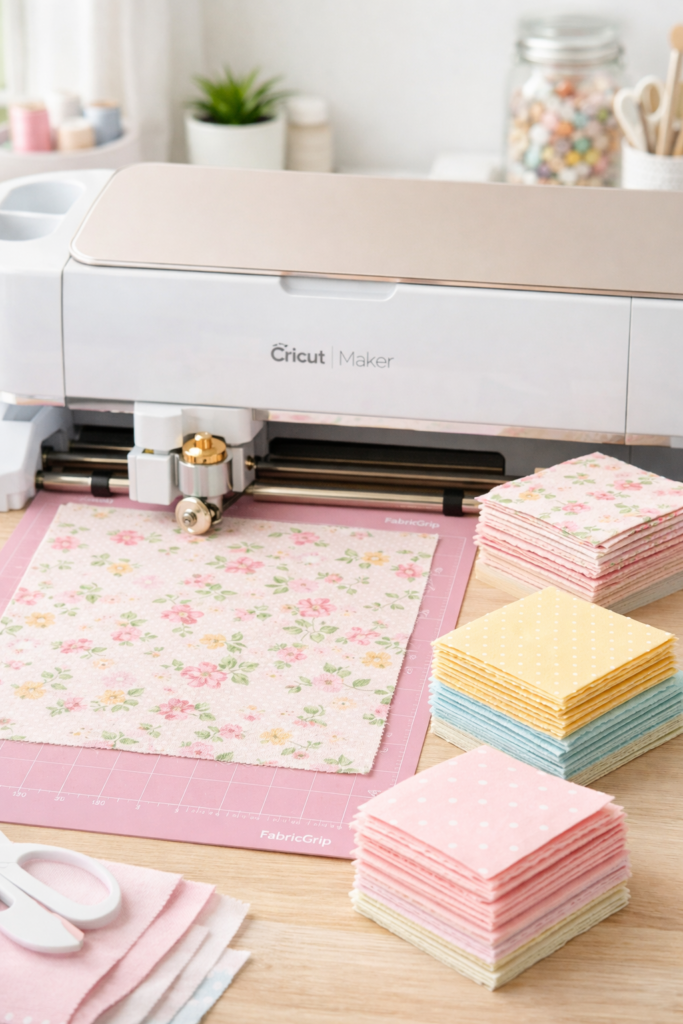
If you sew or quilt, this is where the Cricut machine becomes a serious time-saver. Fabric cutting with scissors can be slow and inconsistent, especially when you’re working with curves or repeating shapes. The Cricut Maker 3 changes that completely.
Using the rotary blade, the machine cuts fabric cleanly without requiring backing material. The edges stay smooth, shapes stay accurate, and you can cut multiple identical pieces with precision. It’s controlled, clean, and dramatically faster than hand cutting.
For anyone exploring advanced DIY Cricut projects or wanting to move beyond vinyl, this function opens a whole new creative lane.
What You Can Make
- Quilt squares and intricate quilt patterns
- Fabric appliqué designs
- Pillow covers and soft home decor accents
- Sewing templates and pattern pieces
- Fabric wall art and decorative banners
This is one of the most underrated Cricut ideas, especially if you love mixing crafts with home decor.
Best Cricut Machine for Fabric Cutting
The Cricut Maker 3 is the best option because it supports the rotary blade. The Explore series does not support the rotary blade, so if fabric is a major goal, the Maker 3 is the right investment.
Shop the Look
9. Knife Blade: Cutting Thick Materials Like Wood and Chipboard
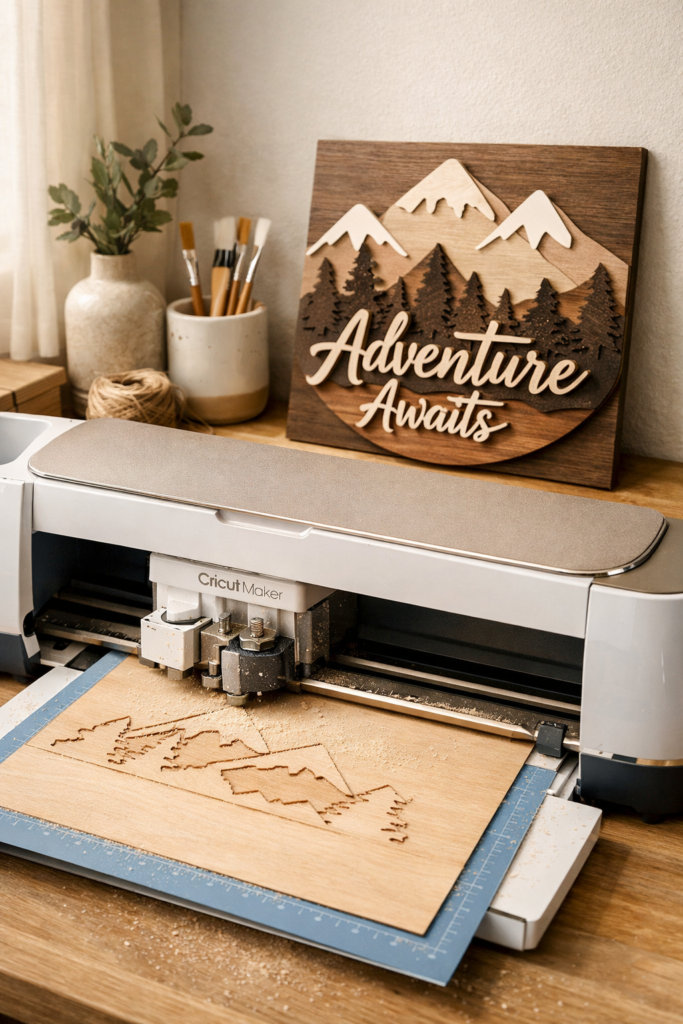
This is where your Cricut machine stops feeling like a craft tool and starts feeling like a mini workshop. The Knife Blade allows you to cut through dense materials that standard blades simply cannot handle.
We’re talking about materials up to 2.4 mm thick, including chipboard, balsa wood, basswood, and heavy-duty craft board. Instead of one quick pass, the machine makes multiple controlled passes to cut cleanly through thicker surfaces. The result is structured, dimensional pieces that feel sturdy and architectural.
If you’ve been curious about expanding beyond paper and vinyl, this is one of the most powerful Cricut ideas available.
What You Can Make
- Layered wood signs
- Custom wall art panels
- Wooden name cutouts
- Decorative shelf decor
- Structured Cricut projects to sell
This function is ideal if you want to create home decor that feels substantial, not lightweight.
Best Cricut Machine for Knife Blade
The Knife Blade is only compatible with the Cricut Maker 3. The Explore series does not support the Knife Blade. If thick materials are part of your vision, the Maker 3 is essential.
Shop the Look
10. Deep Point Blade: Flexible Thick Materials Like Leather and Magnets
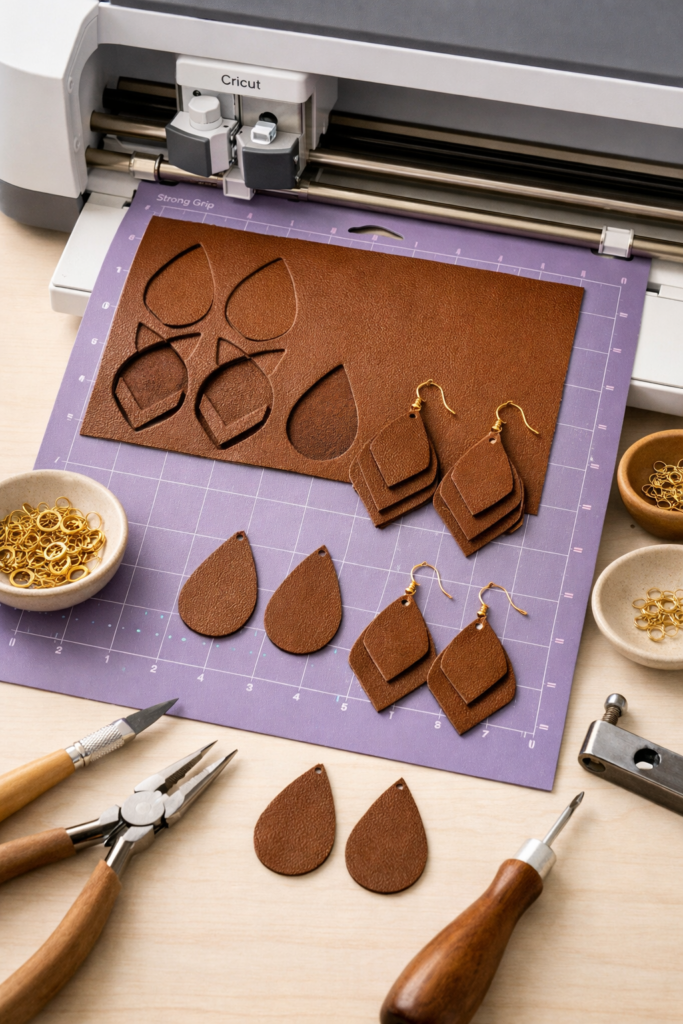
If the Knife Blade handles rigid materials, the Deep Point Blade handles thicker flexible ones. This is where your Cricut machine starts cutting materials that feel more substantial but still bendable.
The Deep Point Blade has a steeper blade angle, allowing it to cut through thicker materials like genuine leather, craft foam, magnetic sheets, and heavy cardstock. The cuts stay clean, even with textured surfaces. It’s ideal when you want structure without stiffness.
This function opens up a whole category of Cricut projects to sell, especially in accessories and small gift items.
What You Can Make
- Leather earrings and bracelets
- Custom leather keychains
- Refrigerator magnets
- Foam holiday decor
- Layered dimensional Cricut projects
If you’re exploring more creative easy Cricut ideas beyond vinyl, this blade gives you more flexibility without jumping to wood.
Best Cricut Machine for Deep Point Blade
The Cricut Maker 3 handles thick materials more consistently, especially leather and magnet sheets. The Cricut Explore 3 can use the Deep Point Blade for certain materials, but if you plan to work with thicker or textured surfaces often, the Maker 3 offers stronger performance.
Shop the Look
11. Perforation Blade: Clean Tear-Away Designs
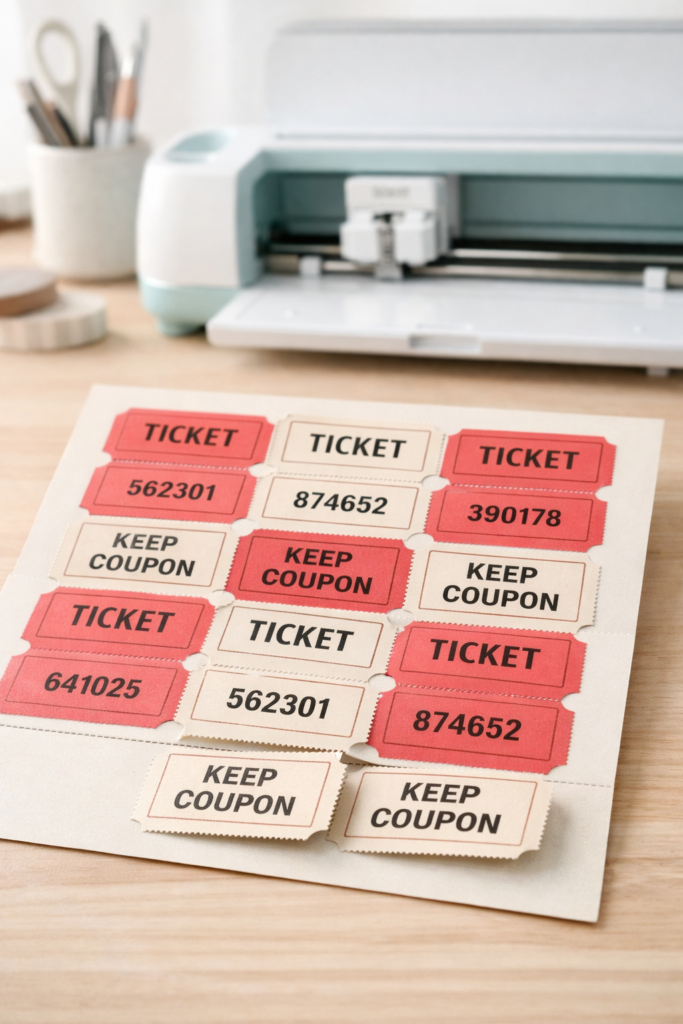
This is one of those features most people overlook until they need it. The Perforation Blade lets your Cricut machine create evenly spaced tear lines that separate cleanly without jagged edges.
Instead of manually scoring and hoping it tears straight, the machine creates precise micro-cuts in a straight line. The result is professional-looking perforation that feels intentional and polished. It’s subtle, but it completely upgrades functional paper projects.
If you’re building out more advanced Cricut projects, this is where your work starts looking commercially produced.
What You Can Make
- Event tickets
- Raffle ticket sheets
- Tear-away coupons
- Advent calendars
- Coupon books and planner inserts
This feature is especially useful if you’re exploring Cricut projects to sell in the stationery or event niche.
Best Cricut Machine for Perforation
The Perforation Blade requires the adaptive tool system, which means the Cricut Maker 3 is the compatible machine. The Explore series does not support this blade. If structured paper products are part of your plan, the Maker 3 gives you that flexibility.
Shop the Look
12. Wavy Blade: Decorative Edge Cuts
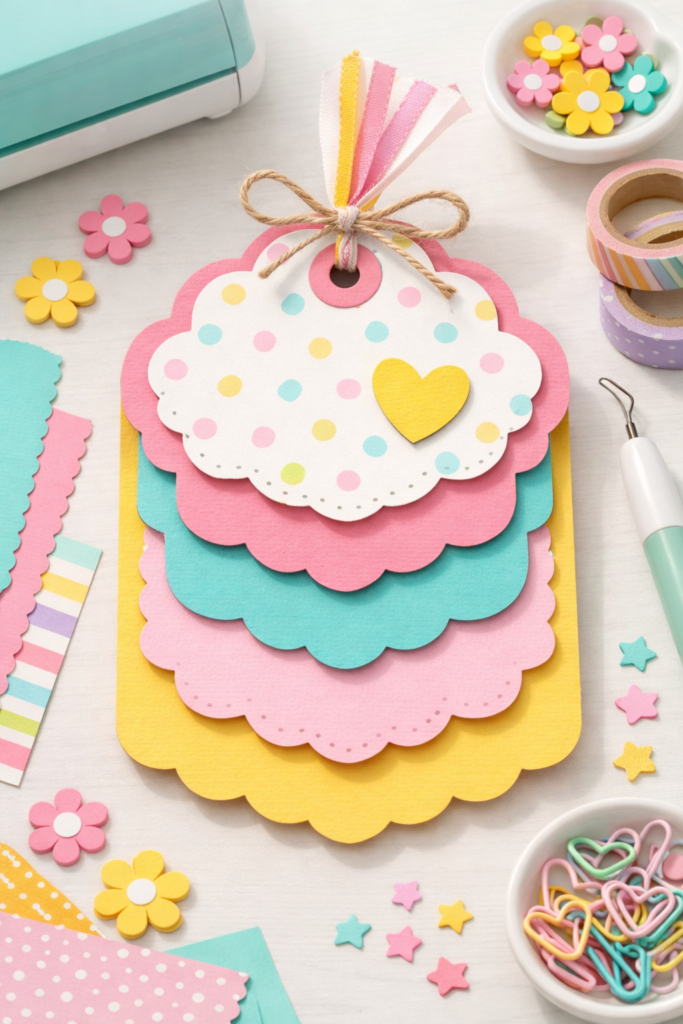
Sometimes it’s not about cutting a shape. It’s about how that shape finishes. The Wavy Blade gives your Cricut machine the ability to create soft, decorative wave edges instead of straight lines.
Instead of a clean, sharp border, you get a subtle ripple effect that adds visual movement and texture. It’s playful without being childish and adds dimension to simple paper projects. If you want your DIY Cricut projects to look layered and intentionally designed, this is a small detail that makes a big difference.
This function is especially great for creative easy Cricut ideas that need personality without complexity.
What You Can Make
- Scrapbook borders
- Decorative labels
- Layered paper tags
- Kids party crafts
- Holiday Cricut Christmas projects
It’s a simple upgrade that makes standard cardstock projects feel more custom.
Best Cricut Machine for Wavy Blade
The Wavy Blade is compatible with the adaptive tool system, so you’ll need the Cricut Maker 3. The Explore series does not support this tool. If you want access to every specialty blade, the Maker 3 keeps your options open.
Shop the Look
13. Smart Materials: Mat-Free Cutting for Faster Projects
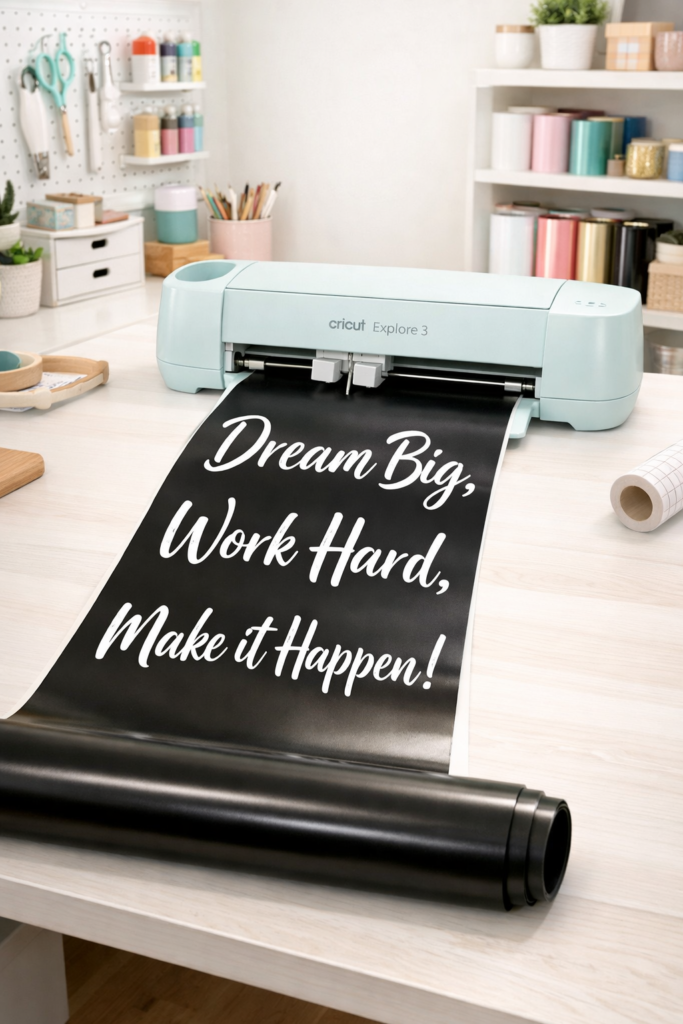
If you want speed and efficiency, this is where your Cricut machine really shines. Smart Materials allow you to cut without a mat, which means less setup, less cleanup, and faster production.
Instead of placing vinyl onto a cutting mat, you feed Smart Vinyl or Smart Iron-On directly into compatible machines. The material stays aligned and cuts cleanly in long, continuous lengths. This is especially useful for larger designs like wall quotes or bulk production for small businesses.
If you’re serious about scaling Cricut projects to sell, this feature saves time and keeps workflow streamlined.
What You Can Make
- Large wall decals
- Business logos and branding decals
- Custom car decals
- Pantry and closet labeling systems
- Bulk orders of easy Cricut projects for beginners
Smart Materials are ideal when you want to produce multiple designs quickly without constantly repositioning mats.
Best Cricut Machine for Smart Materials
Smart Materials are designed for the newer models, including the Cricut Explore 3 and the Cricut Maker 3. If you want mat-free cutting, you’ll need one of these updated machines. Older models do not support Smart Materials in the same way.
Shop the Look
14. Infusible Ink: Permanent Sublimation Projects
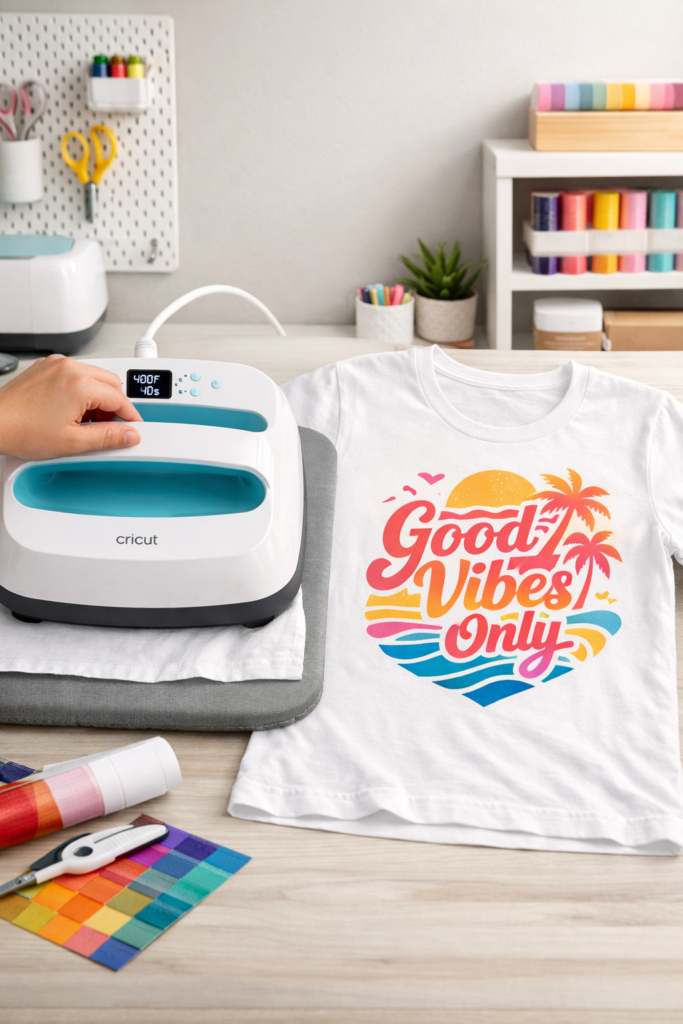
If you’ve ever peeled vinyl off a shirt after a few washes, you’ll appreciate this function immediately. Infusible Ink doesn’t sit on top of the material like iron-on. It becomes part of it.
Your Cricut machine cuts the Infusible Ink transfer sheet, and then heat activates it so the ink permanently infuses into compatible fabric or coated surfaces. The result feels smooth, seamless, and professional. There’s no cracking, peeling, or heavy texture.
For long-lasting DIY Cricut projects, this is one of the most durable options available.
What You Can Make
- Custom t-shirts and sweatshirts
- Personalized mugs
- Coasters and tote bags
- Baby onesies
- Cricut projects to sell that require durability
If you’re looking for easy Cricut ideas that feel store-quality and last through washing, Infusible Ink is a strong upgrade from standard HTV.
Best Cricut Machine for Infusible Ink
Both the Cricut Explore 3 and the Cricut Maker 3 cut Infusible Ink sheets perfectly. The real key is pairing your machine with a proper heat press for consistent transfer results.
Shop the Look
15. Heat Press Compatibility: Apparel and Transfer Projects
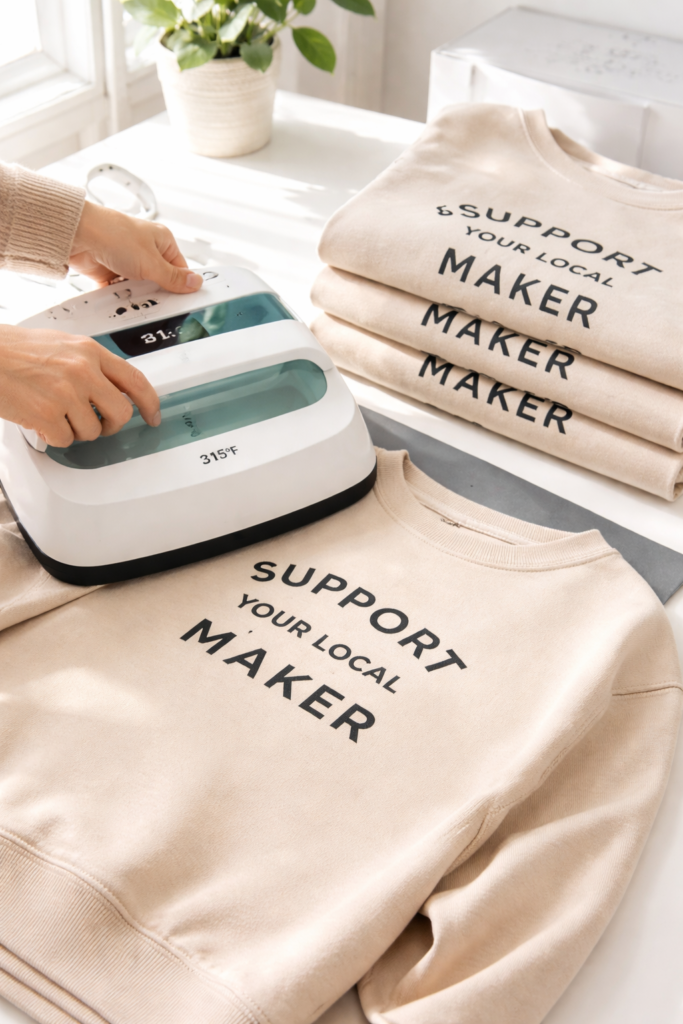
Your Cricut machine does the cutting, but heat is what locks your designs in place. When you pair your Cricut with a proper heat press, you unlock an entire category of wearable and sellable products.
Heat transfer vinyl and specialty materials require consistent temperature and pressure to bond correctly. A dedicated press gives you clean edges, smooth adhesion, and long-lasting results. This is what takes a basic DIY shirt and makes it look like boutique merch.
If you’re serious about scaling Cricut projects to sell, heat press compatibility is not optional. It’s essential.
What You Can Make
- Custom t-shirts and sweatshirts
- Branded tote bags
- Personalized hats
- Baby bodysuits
- Team apparel and event shirts
This is one of the most profitable categories of easy Cricut projects for beginners, especially if you want fast turnaround items.
Best Cricut Machine for Heat Transfer Projects
Both the Cricut Explore 3 and the Cricut Maker 3 work perfectly for cutting iron-on vinyl and Infusible Ink. The difference comes down to whether you also want advanced tools like engraving or fabric cutting. For apparel-only projects, Explore 3 is more than capable.
Shop the Look
16. Cricut Joy: Compact Power for Quick Projects
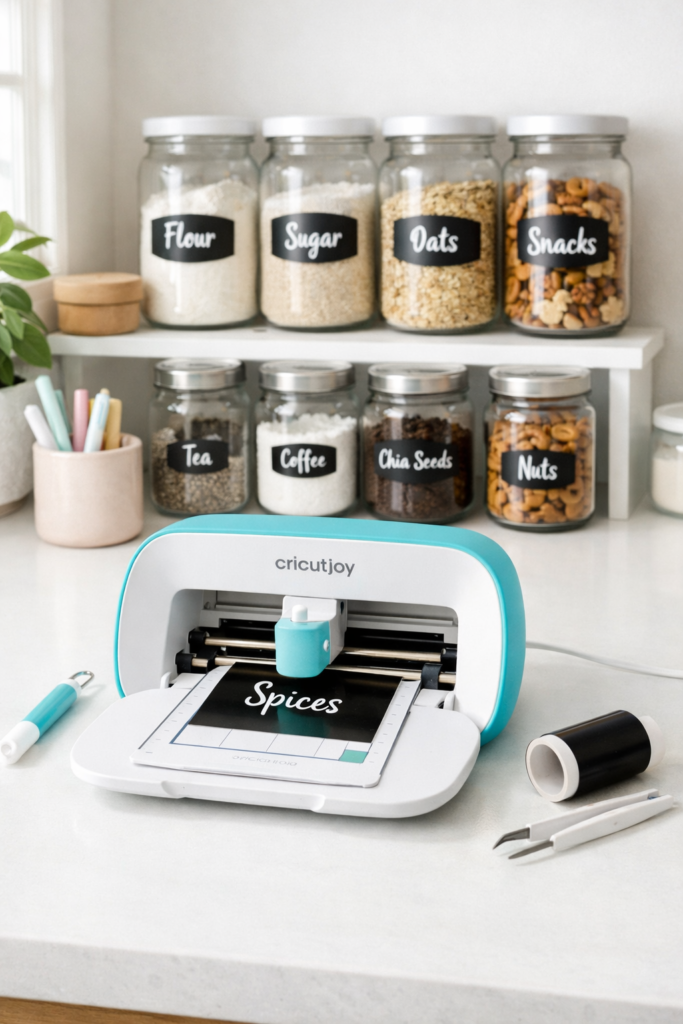
If the full-size machines feel overwhelming, this is where things get simple. The Cricut Joy is the lightweight, beginner-friendly version of a Cricut machine designed for quick, small-format projects.
It cuts, draws, and works with Smart Materials without a mat. It’s compact enough to sit on a shelf, fast enough for last-minute projects, and simple enough for true beginners. While it does not support advanced tools like engraving or fabric cutting, it covers the core functions most people use daily.
If your focus is labels, cards, and simple DIY Cricut projects, this machine handles it beautifully without the learning curve of the larger models.
What You Can Make
- Pantry and home organization labels
- Greeting cards
- Small decals
- Gift tags
- Easy Cricut projects for beginners
This is ideal if you want to dip your toe into Cricut projects without investing in the full adaptive tool system.
Best Cricut Machine for Compact Projects
The Cricut Joy is specifically built for this purpose. If you want larger cuts, thick materials, engraving, or sewing compatibility, the Explore 3 or Maker 3 would be better. But for everyday small projects, Joy is efficient and beginner-friendly.
Shop the Look
The Cricut Machine Is a Creative System, Not Just a Cutter
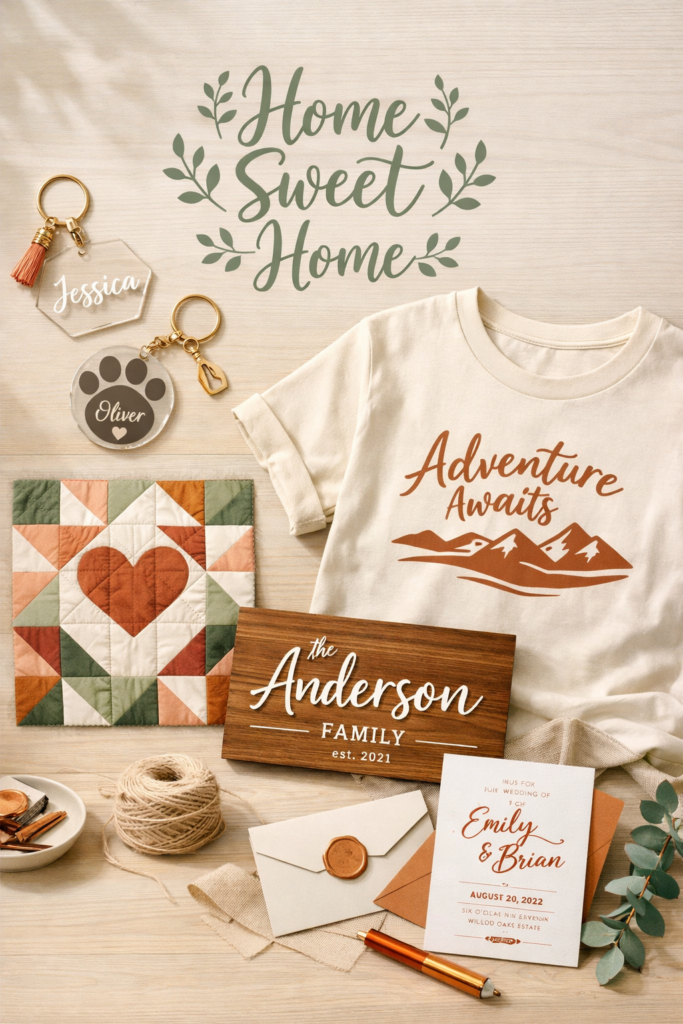
At this point, it’s clear that a Cricut machine is far more than a vinyl cutter. It’s a multi-function creative system that can cut, draw, score, deboss, engrave, perforate, foil, cut fabric, handle thick wood, and produce long-lasting apparel designs.
The real question is not “What can a Cricut do?” It’s “What do you want to make?”
If your focus is simple labels and beginner-friendly DIY Cricut projects, the Cricut Joy or Explore 3 may be perfect. If you want engraving, fabric cutting, and thick material projects, the Maker 3 gives you the full adaptive tool system. Each machine unlocks a different level of creative control.
And if you’re thinking beyond crafting for fun and want to turn your Cricut machine into income, your next step is learning what actually sells. 👉 Read next: Cricut Projects That Sell Fast (Beginner Friendly)
That guide breaks down profitable, realistic Cricut projects to sell so you can move from experimenting to earning.